BBEdit Product Tour
Exercise Total Control Over Text | Work Your Way | Command Files, Folders, Disks, and Servers | Enjoy Textual Omnipotence | Live Up To Standards | Integrate Smoothly Into Existing Workflows
(Tip: click each image below to see it full size in a new browser tab.)
Enjoy Textual Omnipotence
- tell at a glance what’s going on with customizable syntax coloring for over 20 languages and display of invisible characters, tab stops and current line highlighting
- navigate within your documents easily with the Function Popup, custom place markers, and support for exuberant ctags indexing
- see the structure of your code using automatic indent, line numbering and code folding
- easily navigate among multiple documents in a single window
- document and selection statistics (character, word and line count) shown at the bottom of every window
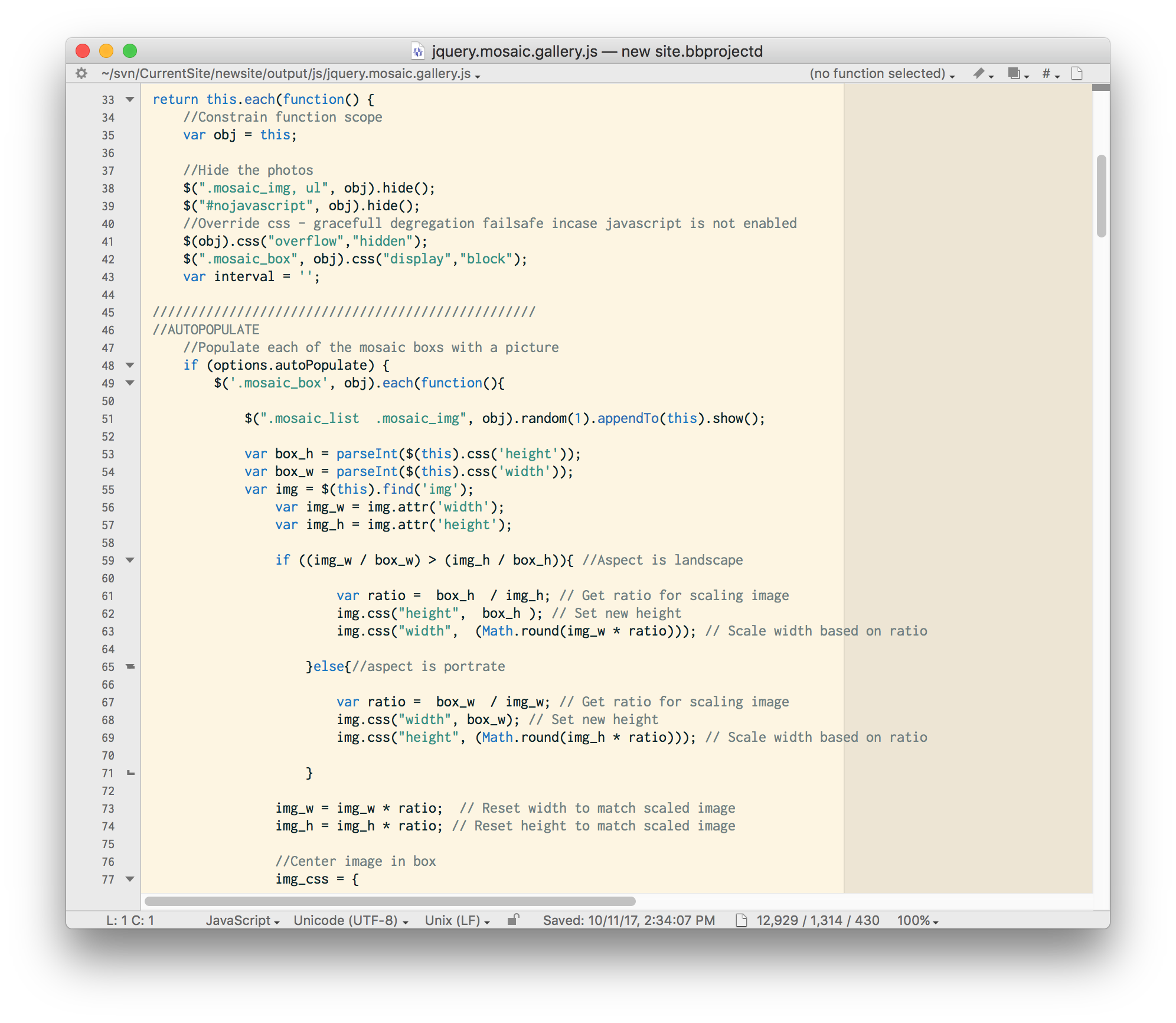
BBEdit makes it easy to navigate through even the most complicated code, with automatic function detection, code folding, optional line and cursor position display, function menu, syntax coloring, invisible character display, and more.
BBEdit features a visual Page Guide (the darker area on the right side of the window), tab stop indicators (vertical lines) and current line highlighting (the line with the insertion point is highlighted with the color of your choice; here it’s gray).
Multiple document display and navigation
Collect and organize all HTML source files for a particular Web site task or all the source files for a programming or scripting job into a single window. Reduce screen clutter by consolidating many documents into a few windows.
You can also organize all related files into Projects, and save the Project file for reuse. Projects can even include files opened via FTP/SFTP.
Every editing window provides a user interface for opening multiple text documents into a single window, and then switching between them quickly and easily (by clicking on a document in the list, using a keyboard command, or using the controls in the Navigation Bar). You can drag text files in to a window’s file list, or between the file lists of two different windows.

Advanced source code editing via language servers
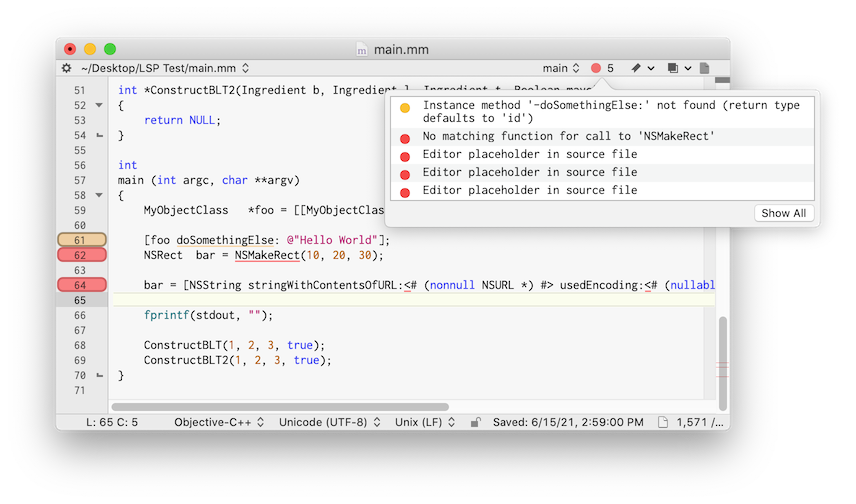
BBEdit’s built-in support for the Language Server Protocol enables not only advanced code completion, but also (where available) inline help with function parameters, in-window display of issues, language-sensitive formatting, and cross-file code navigation via “Find Definitions” and “Find References”. (Note: Despite “server” in the protocol name, your data does not actually leave your computer. Available features and behaviors vary by language and by server.)

Here’s a source file showing errors and warnings reported by the language server:
Find out what’s new in BBEdit 15. Or check out the full feature list.


